Moonlight:
jaxca:

REMOVED.

Thank you so much🙂‍↕️

However, Jaxca, Can you help me with something? How come you're able to quote long posts, but the rest of us can't? I've tried a few times by selecting just the specific part I wanted to quote before hitting reply, but it still didn't work. I'm a bit confused! 😅

Are you clicking on the 'quote' button at the bottom or the pop up 'quote' button that appears over the selected text? You have to do the latter, to quote a portion.

Kokuto:

Are you clicking on the 'quote' button at the bottom or the pop up 'quote' button that appears over the selected text? You have to do the latter, to quote a portion.

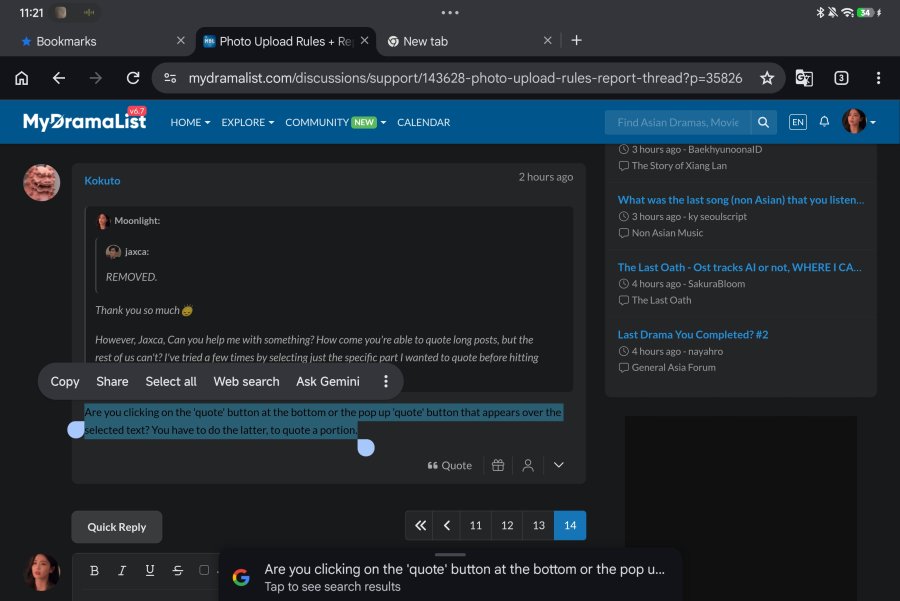
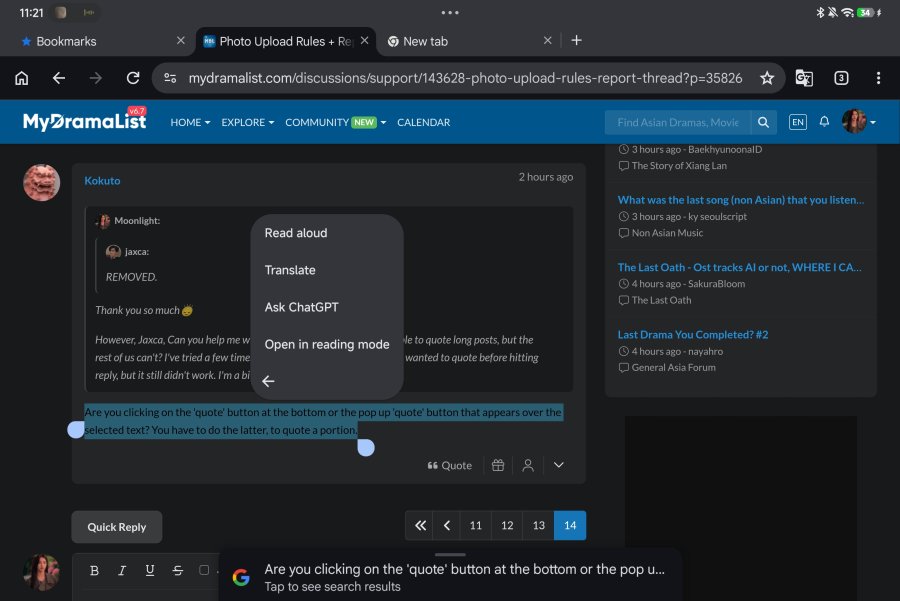
Screenshot_2026-09-20-11-21-27-094_com.android.chrome.jpgScreenshot_2026-09-20-11-21-32-325_com.android.chrome.jpgWhere? In my case, no 'quote' button pops up at all?! 🥲

Moonlight:
Kokuto:

Are you clicking on the 'quote' button at the bottom or the pop up 'quote' button that appears over the selected text? You have to do the latter, to quote a portion.

Screenshot_2026-09-20-11-21-27-094_com.android.chrome.jpgScreenshot_2026-09-20-11-21-32-325_com.android.chrome.jpgWhere? In my case, no 'quote' button pops up at all?! 🥲

If you’re using a mobile device, it doesn’t work, at least most of the time. It shows on my laptop but not my (Android) phone or (iOS) tablet.

Moonlight:
Where? In my case, no 'quote' button pops up at all?!

Hmmm. In one of those pics are you right clicking on the highlighted the text? I don't have to to do that now, but I vaguely remember doing that sometimes when it didn't pop up automatically. This is what it looks like:
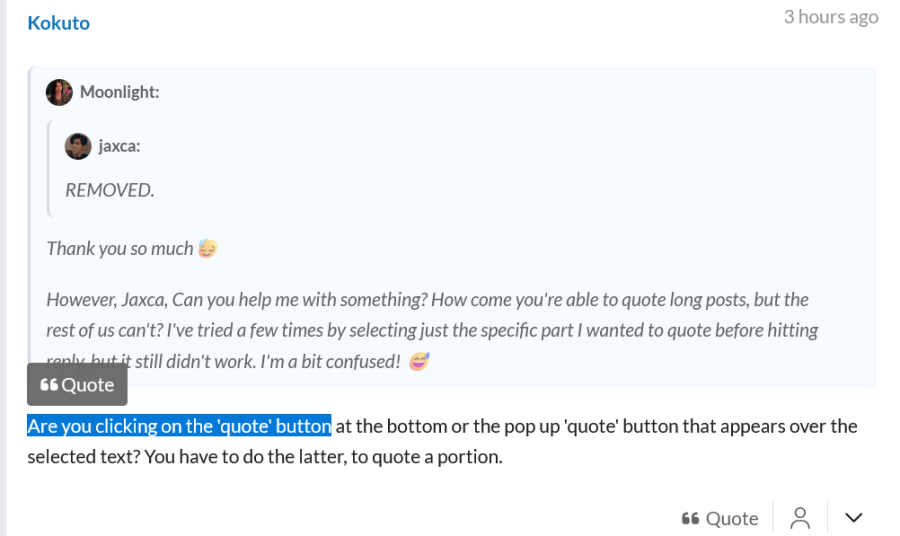
Screenshot 2026-09-20 at 02-32-35 Photo Upload Rules Report Thread - Page 14 - Support - MyDramaList.png

ElBee:
If you’re using a mobile device, it doesn’t work, at least most of the time. It shows on my laptop but not my (Android) phone or (iOS) tablet.

Well, that suxs. But yes, I'm using a laptop with Windows and Firefox browser.

I use a tablet, but I haven't tried using my laptop yet 😕